
Chipotle Giving Away 9M Burritos

chipotlelogoWatch your mail for your free meal coupon from Chipotle!

Because of the bad publicity generated by the 2015 food borne illness outbreaks that sickened at least 60 customers (specifically E. coli and Norovirus) in California, Oregon, Washington, Minnesota, Boston, and 7 other states, customers have largely stayed away and Chipotle closed 43 stores in Washington and Oregon.  YouGov Brand Index said customer perceptions about Chipotle sank to their lowest level since 2007 in October, before additional cases popped up in seven more states, which likely pushed them even lower.

As a result of the severe drop in business at it’s 1,500 locations worldwide, the company has seen their stock price drop 39% since November and saw a 44% drop in earnings in the 4th quarter alone, when news of more outbreaks hit the news. Today it was announced that CMG (parent company for Chipotle) is expecting to report a loss in the 1st quarter, for the first time ever as a public company.

To bring people back, following the February 8, 2016 Food Safety Town Hall, Chipotle dispatched about 50,000 employees to go to more than 400 locations, such as movie theaters and hotel conference rooms to spread the word that the investigations were over,  stores were given a “clean bill of health” by the CDC (Centers for Disease Control) and that the company was asking the public to come back by offering free food.  The public was asked to text and request a coupon and 5.3 Million requests were received!  67% (appx 3.5 Million) of those coupons were redeemed, at an average cost of $7.10, for an estimated expenditure of $25.2  Million by the company.

To try and regain the public’s trust and repair their damaged reputation, they have added food safety information to their website, boosted their advertising, plan future Buy-1-Get-1 Free offers delivered via mobile devices, and they’ll kick it all off by sending 21 million households coupons for a free meal via U.S. Mail.  In all, their efforts are likely to cost the company in excess of $62 Million.

I was a big fan of Chipotle before so many people started getting ill after eating there.  A few  years back, my husband and I were both hit with E. coli from a local sandwich shop and it’s not an experience that I want to repeat.  I’m leaning toward giving Chipotle a second chance.  They are so publicly scrutinized, because they are a publicly held company, that I’m sure they are being ultra vigilant with their food safety procedures. My husband however, insists he’ll never go back.  One time is one too many, and Chipotle had 60 reported cases.  How many went unreported because the symptoms were so mild?  A big Hmmm indeed!

Are you still eating at Chipotle?

Will you be swayed to return by the coupon for a free burrito?

If not, what would entice you to go back?

Things that this girl will definitely be pondering as I wait to see evidence (i.e. my coupon) that the company is serious about showing the public they are sincere in their desire to put public health and safety above corporate profits.

Are you on Facebook?  If you are interested in blog follow ups, things that make me wonder, laugh or scream in frustration, join the more than 2,200 people who find me engaging or amusing: https://www.facebook.com/extremeblondemoments
Super Bowl (Yawn!) 50

I have less than zero interest in the teams playing in Super Bowl 50 in two weeks.

Usually I like a couple of the commercials but I can get commercial play by play and see them at my leisure courtesy of Twitter and video sites like YouTube.

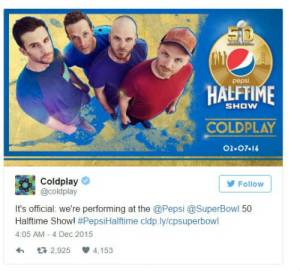
Coldplay headlining the halftime show.  Nope.  ZERO INTEREST

coldplay-super-bowl-vitae-moderna-pepsi

It seems a lot of the intended viewers of the game agree with my less than enthusiastic opinion of the Super Bowl 50 Halftime Show.  Social Media exploded with disbelief, horror and outright mockery.  The fun continued when athletes, entertainers, late night talk show hosts and publications nationwide joined in on the joke that was the selection of Coldplay as Super Bowl 50 Halftime Show Headliner:

Some of my favorites:

  1. Coldplay is the clip-on-man-bun of bands (@dougbies – Twitter)
  2. Someone should run the concussion protocol on whoever picks Super Bowl halftime talent (@kenwheaton – Twitter)
  3. “shhh! shhh! everyone! Coldplay’s on!” that ought to go over well at the Super Bowl party. (@jasongay – Twitter)
  4. “Super Bowl fans, are you ready to rock? Hope not, because you’re getting Coldplay.” – Adweek
  5. “The one good thing you can say about the Coldplay choice is that they allow everyone to hurl their best insults with impunity.”  – Uproxx
  6. “Was Nickelback busy that weekend or something?” – San Francisco Gate

Reactions like those lead me to believe that the 2016 Super Bowl Halftime Show won’t garner anywhere near the number of viewers that Katy Perry’s Super Bowl performance in 2015 did.  She drew 121 million viewers, the highest viewership ever for the halftime performance according to Nielsen.  Bruno Mars’ performance in 2014 brought in 115 million, the second highest.

puppybowl

Is it any wonder the NFL quickly scrambled to assure viewers wouldn’t defect by the millions to watch a bunch of adorable puppies scamper about on Animal Planet’s Annual Puppy Bowl, by adding Beyoncé and Bruno Mars?

I’ve decided, for only the second time I can remember (the first time I was planning a funeral and writing a eulogy), to skip the game completely.  Looks like a perfect time to finally see the new Star Wars movie has presented itself.  Hmmm

Are you on Facebook?  If you are interested in blog follow ups, things that make me wonder, laugh or scream in frustration, join the more than 2,200 people who find me engaging or amusing: https://www.facebook.com/extremeblondemoments

 

I’m Afraid to Ride My Bike on the Streets

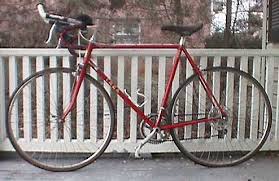
redroadbikeI’m as health and eco-conscious as the next girl, but the lack of awareness, attention, knowledge of right-of-way laws/general rules of the road and distracted driving I see exhibited by those who occupy the roads with me every day, has made me terrified to take to the streets on two wheels.

California has laws to protect the safety of motorists, bicyclists and pedestrians alike, but I am amazed daily by the number of violations that continue to happen as if no legislation exists because they go unnoticed by violators and law enforcement alike.

Think about it, in California (and many other states) it against the law to:

  • Hold any handheld communication device while driving
  • If you drive a Bus you can’t use a cell phone at all
  • If you are a new driver (anyone under 18) you can’t use a handheld OR handsfree cell phone
  • No texting while driving

Although these things are just as dangerous to other drivers, pedestrians and cyclists who share the road with them, it ISN’T written in the law that you can’t operate a vehicle and:

  • Eat or Drink
  • Talk/Sing/Argue with Passengers
  • Have a Pet Roaming the Car or Sitting in the Driver’s Lap
  • Perform Grooming Tasks (brush hair/teeth, shave, apply makeup, etc.)
  • Read (I’ve seen books, newspapers, maps and more!)
  • Use Navigation System
  • Watch Video Entertainment
  • Fiddle with Radio, CD, MP3, etc.

We all know that even more than this goes on when cars are being driven.  I know I am a perpetrator of some of the above, especially the singing 😉

I have a great bike and I’d love to ride it, in fact, when I’m feeling brave enough to hit the streets of my town, I’ve been known to ride it to the place where I get my messages (two miles from my house) and I’ve even ridden it to the gym about a mile and a half away.  But it seems more and more frequently, the news is reporting another car vs pedestrian or car vs cyclist incident on the streets of the cities near the place I call home.

If you think I am simplifying or exaggerating the risks taken when a pedestrian or cyclist hits the street, consider some of the following statistics cited in a 127 hour video-documented study by Monash University in Austrailia, where 54 car vs cyclist incidents were recorded: 2 collisions, 6 near-collisions and 46 other incidents.  That averaged out to a very scary incident every 2.5 hours, with the blame falling primarily on the drivers of the motor vehicles!

  • Prior to events, 88.9% of cyclists traveled in a safe and legal manner.
  • Vehicle drivers were at fault in 87% of the events, with more than 83% of drivers showing no post-event reaction.
  • The most frequent event was caused by drivers suddenly changing lanes, 40.7%.
  • 70.3% of events occurred at an intersection or intersection-related locations.
  • Cyclists who frequently looked over their shoulders had the highest situational awareness and the greatest ability to avoid collisions or near-collisions with cars.

In this country’s big cities, which have seen a growth in both population and traffic, campaigns have been made to get people to commute by foot or bike, but the same risks, and maybe even more, exist.  More people means more cars and more traffic, but infrastructure (streets, roadways, etc.) have not seen updates in decades and there just isn’t enough room for cars, cyclists, and pedestrians to co-exist.

In September 2013, California governor Jerry Brown signed a law requiring that motorists give cyclists at least 3 feet of clearance when passing.  That’s nice in theory, but the width of any existing bike lanes (which riders have a tendency to hug toward the car side of the lane to avoid bumpy/poorly maintained lanes, debris and slopes toward the curbs) and the need to move more traffic through narrower roads on more lanes than is safe, forces drivers to push into the lane of the driver to their left and could result in a vehicle vs vehicle collision.  Doesn’t seem like the 3 feet rule leaves enough space for ANYONE to be safe!

Consider some other safety issues posed by those who are supposed to share these crowded roadways:

  • Use of cell phones, smart phones, and MP3 players has resulted in a greater possibility than ever of injury to a cyclist or pedestrian who may have one or both of their ears covered by earphones/earbuds.  Their attention is focused down on texting or playing a handheld game while walking, listening to music at a high volume, or having a conversation instead of paying attention to the traffic noises or paying attention to the others who share the sidewalks/roadways;
  • Children are supposed to wear helmets while bicycling, skate boarding, etc., but many parents don’t enforce that rule in their homes;
  • Bicycle riders are instructed to stop and walk their bikes across intersections with cross walks (but most don’t), ride with traffic (not against), and to always ride in a safe and observant manner; and
  • Pedestrians are tasked to walk facing traffic, maintain alertness and obey traffic signals;

With all of these distractions, plus the addition of student drivers, drivers who don’t speak or read the language who may not understand what a sign like “Yield” means in practice, nervous or elderly drivers, and the list goes on, unless it’s a country lane where there are few, if any vehicles, my bike just may continue to gather dust in the garage.  Hmmm

Are you on Facebook?  If you are interested in blog follow ups, things that make me wonder, laugh or scream about in frustration, join the more than 2,000 people who find me engaging or amusing: https://www.facebook.com/extremeblondemoments


An Extra Hour of Sleep (or Bar Time)

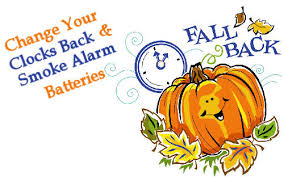
fallback1Before you go to bed on Saturday night, “fall back.”  Set your clocks backward one hour.   If you live in Arizona, Hawaii, Puerto Rico, the Virgin Islands, or American Samoa, who do not participate in Daylight Saving Time, this doesn’t apply to you.

Benjamin Franklin, first jokingly suggested the idea that Parisians could, “economize candle usage by getting people out of bed earlier in the morning, making use of the natural morning light instead,” in a 1784 essay called “An Economical Project for Diminishing the Cost of Light” to the editor of The Journal of Paris. 

He wasn’t far off the mark: By changing the clocks an hour forward or backward to better align with the earth’s spring and autumnal shift in angle to the sun, the number of hours one could work productively increased during those seasons and scarce resources used for heat and light (then oil and candles now coal, natural gas and electricity) could be preserved.

fallbackGermany was the first to adopt the system in 1915 to save fuel during World War I. The British switched in 1916, and the United States followed in 1918, when Congress passed the Standard Time Act, which established our time zones. In 1920, the law was repealed.  Dairy farmers opposed the time change, citing their cows, who can’t tell time.

fallbacktarotDuring World War II, Daylight Saving Time was imposed again to save fuel. Since then, DST has been used on and off, with different start and end dates. Currently, DST begins at 2:00 A.M. the second Sunday in March and ends at 2:00 A.M. the first Sunday in November.

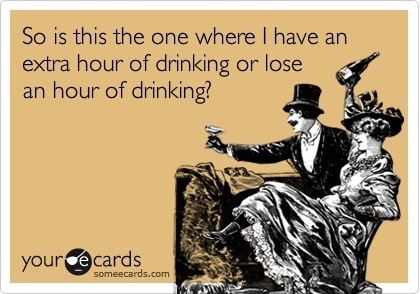
DSTdrinkingOfficially the time when the change happens is Sunday morning at 2:00 AM.  So, if you happen to be in a bar with a patron friendly owner, you may get an extra hour of bar time Saturday night. 😉  Hmmm

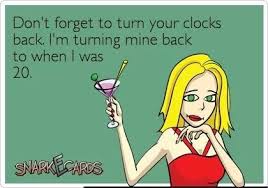
dstbackto20Are you on Facebook?  If you are interested in blog follow ups, things that make me wonder, laugh or scream about in frustration, join the more than 2,000 people who find me engaging or amusing: https://www.facebook.com/extremeblondemoments

Very Disappointed By My Fitbit Experience

fitbit-logo-300x109I have bought and used many different fitness trackers from the Polar watch linked chest strap heart rate monitor to the Nike+ shoe insert, Adidas Micoach no strap/in the sports bra heart rate monitor, Scosche Arm Band, iFit Chest Strap Monitor, Garmin Vivofit, and others I’m sure I’ve bought and forgotten.  But, even when I’ve strayed and tried the flavor of the month, I’ve been a loyal wearer of the Fitbit from it’s first clip on to the latest Charge HR.

That said, I am quite disappointed that, as much as the Fitbit step monitoring product has “advanced” with each version, it has actually fallen behind the competition and I am strongly considering a change:

  • The clip-ons (Zip, Ultra, and One) had a tendency to unclip and disappear mid-workout
  • The Flex bands would come unsnapped during workouts, were brittle and cracked/broke, and worst of all, were apparently very yummy as my dogs chewed up 4 of them…hmmm
  • As soon as it became available, I bought a Fitbit Aria Scale.  Then I started noticing that I didn’t like having my weight broadcast to my Fitbit app and visible to my friends, “How Rude!”  Apparently there’s a setting to stop that, but my shame was complete, so Aria and I ended our brief & rocky relationship!
  • I loved the Force, which was on backorder forever then pulled off the market abruptly a short time later.  The Force was waterproof – I could finally track “steps” while swimming! But the Force also had a tendency to emit a gentle yet stingy pulse every once in a while that left a mark.  No Bueno indeed!  So I returned to one of my Flex models from the drawer of obsolete trackers.
  • With great excitement I saw the announcement for the Fitbit Charge and Charge HR that would be coming out in time for me to ask my husband to get me one for my Christmastime birthday.  He got on the waiting list at the local sporting goods store and we waited patiently for the arrival.  Finally the Charge became available so we snapped two of them up, anxious to see what all the hype was about.  Besides being a bit bigger and having a new secure wrist strap, the Charge was just a more expensive version of the Flex, but happily we wore it while I secretly pined for the arrival of the be-all-to-end-all.
  • The Charge HR! I don’t rely on steps alone to determine how my “Fit Day” has gone, I love the addition of a heart rate monitor that requires no chest strap and can count additional calories burned based on my actual 24 hour heart rate readings!  That’s the good, now here’s the bad of the Charge HR that I immediately replaced my Charge with once it became widely available in May of this year.  1) The plastic housing for the stat screen cracked in the first 2 months of normal wear, causing me to have to contact the company for a replacement 2) It is NOT waterproof, in fact it’s barely water resistant.  I had it on while standing in shallow water and got splashed.  When I touched the Charge HR to remove it to a dry place, I got a painful shock!  and 3) The battery life blows!  I have to charge it every 36-48 hours.  That is neither convenient nor does it allow me to get a whole day+ sleep picture.  Charging it during my 5 minute (CA drought/water use imposed) shower just doesn’t cut it.  I am in motion most of my day and have very few opportunities to take it off and charge it.  That is not what this Fit Girl envisioned at all!
  • They do have the Surge: A giant men’s watch-sized version that has a screen large enough to display all stats at once, but that doesn’t interest me at all.

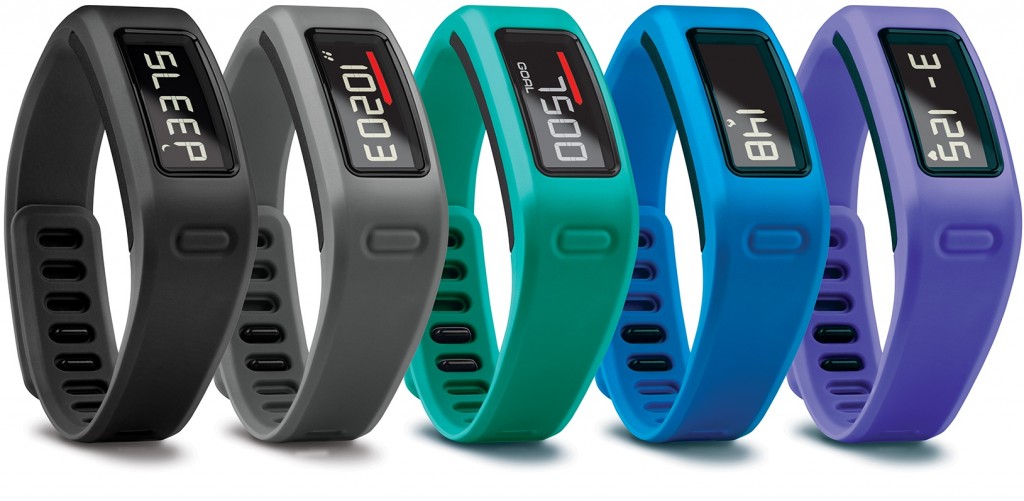
I have to say that my Garmin Vivofit has the most features that meet my needs:

  • It was less expensive than the closest Fitbit product with similar features
  • It has a battery that is guaranteed to last at least 1 year – no taking off to charge – big advantage
  • It can be worn 24/7 because it is truly water resistant.  During the many times I had to have my One, Flex, and Charge replaced due to loss or damage, I have worn mine in the shower, the pool and when very sweaty during workouts and never had an issue.  It’s kind of like the old Timex saying, “It takes a licking and keeps on ticking!”
  • It reminds you to stay active with move bar and audible alert
  • It learns your activity level and proposes a personalized daily goal
  • It shows steps, calories, distance and time of day on backlit display; monitors sleep
  • It doesn’t track how many flights of stairs I walk and give me fancy little achievement awards, but I can add the stairs as an activity and monitor them that way
  • It also won’t sync up to let me participate in Fitbit challenges, but I never win anyway (LMAO) so I can live without that “feature” too
  • It automatically syncs to Garmin Connect™ to save, plan and share progress
  • It does have heart rate tracking with the optional heart rate strap.  That it needs a strap to monitor heart rate is the only negative to me on this one.  If it had strapless heart rate monitoring I would have given up on my Fitbit long ago
  • Another negative to the Garmin Vivofit is that some Apps say they make it compatible to share with the Fitbit App for competing with your friends.  I have had great difficulty getting that to be a reality

all_color_garmin_vivofit-1024x501After all of the time, money and effort I’ve invested in Fitbit, I have come to the realize that I am better off going back to the Garmin Vivofit to monitor my fitness goals.  A very expensive lesson indeed.  Hmmm

If you are on Facebook and are interested in the things I may not devote an entire blog post to, but that make me wonder, piss me off, funny quips, photos and other things, I have a page followed by more than 2,000 people who find me engaging and/or mildly amusing:  https://www.facebook.com/extremeblondemoments

There’s No Excuse Not to Be Prepared!

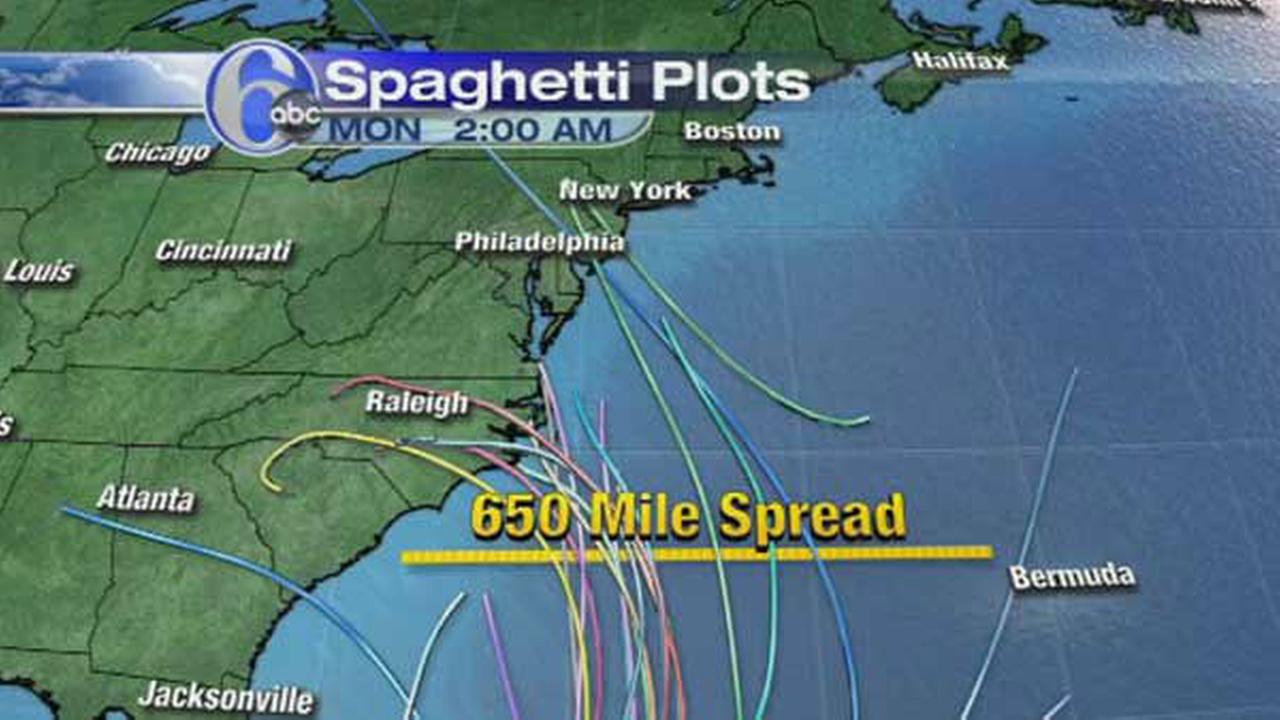
joaquin1For a few days now, I’ve seen news items regarding Hurricane Joaquin, which is headed Northwest through the Bahamas toward the eastern United States.  Forecasters are warning that there will be heavy rain, winds, and flooding from the storm surge.

joaquinfloodpotentialThe Weather Channel and other news outlets are warning that this will start this weekend and carry through into the first of next week.  News outlets are warning of “Historic rains” and naming specific states that should be preparing for their homes for a strong potential of flooding now.  Some are even suggesting getting away from down-slope areas through the weekend.

Other than worrying for friends and family, this storm will have no impact on me because I am on the WEST COAST, but I’m paying attention.  Unfortunately I know that, just like every other year, my television, Twitter feed, and Facebook will be flooded for the next week or two with stories and pictures of people and places being overrun, as if surprised by the arrival and impact of this Category 4 Hurricane (right now that means it has a wind speed range of 130-156 mph).

I’m sure I look like a bitch, but the tracking mechanisms and technology in place allow plenty of advance knowledge of the likelihood of the storms’ paths, so I have a couple of huge problems with what then always comes next.  Hmmm

  1. Pictures of people who didn’t evacuate as ordered and have become stranded causing first responders and other emergency personnel to risk themselves rescuing them when they could be helping those who legitimately COULD NOT get out of the storm’s way;
  2. The inevitable pleas for donations that are needed as a result of people:
  • Not evacuating when they had advance notice and warning
  • Not keeping the supplies necessary on hand: in basements/garages/attics, etc., to secure windows, etc. since they know that there is a great likelihood, due to where they live, that they will see storms
  • Not preparing their families and pets/livestock for the possibility of being on their own, without services for a time, and unable to leave where they are due to bad roads, debris or residual flooding after the storm passes
  • Not checking to make sure neighbors who may be less well off or who are elderly/disabled are adequately prepared or have made arrangements to evacuate

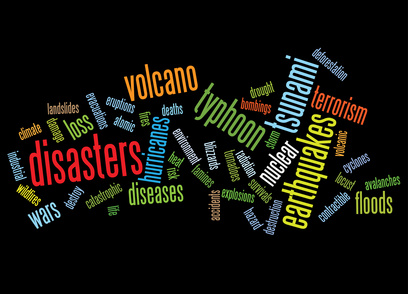
disasters background as words clouds.

So, for those who’d like a refresher, here is what FEMA recommends be done in preparation for the arrival of Joaquin, or any other severe weather or natural disaster that could occur where you live, for that matter:

  • Hurricane winds can cause trees and branches to fall, so trim or remove damaged trees and limbs to keep you and your property safe: especially those close enough to fall on your home
  • Secure loose rain gutters and downspouts and clear any clogged areas or debris to prevent water damage to your property
  • Reduce property damage by retrofitting to secure and reinforce the roof, windows and doors, including the garage doors (including sturdy weather stripping under and around doors, garage doors, outdoor basement access, and windows)
  • Purchase a portable generator or install a generator for use during power outages. Remember to keep generators and other alternate power/heat sources outside, at least 20 feet away from windows and doors and protected from moisture; and NEVER try to power the house wiring by plugging a generator into a wall outlet.

36 Hours before a storm:

  • Turn on your TV or radio in order to get the latest weather updates and emergency instructions
  • Build or restock your emergency preparedness kit. Include a flashlight, batteries, medicines, cash, a fully charged portable cell phone charger, Baby food/formula/diapers, Pet food/supplies (leashes), heavy duty trash bags, water, non-perishable food (stored in a sealed Rubbermaid type container or clean large locking trash can lined with a trash bag and zip tied closed to keep food dry), first aid supplies, heavy tarps and duct tape in case your building sustains damage allowing rain in, and copies of your critical documents in resealable bags to keep them safe
  • Plan how to communicate with family members if you lose power. For example, you can call, text, email or use social media. Remember that during disasters, sending text messages is usually reliable and faster than making phone calls because phone lines are often overloaded
  • Review your evacuation plan with your family. You may have to leave quickly so plan ahead
  • Keep your car in good working condition, and keep the gas tank full; stock your vehicle with emergency supplies and a change of clothes
  • Bring pets inside, crate them if you feel evacuation will be necessary or if they are particularly anxious.  Keep their harnesses or collars on for a quick snap of their leash in event of an emergency evacuation
  • Bring loose, lightweight objects inside that could become projectiles in high winds (e.g., patio furniture, garbage cans); anchor objects that would be unsafe to bring inside (e.g., propane tanks)
  • Cover all of your home’s windows. Permanent storm shutters offer the best protection for windows. A second option is to board up windows with 5/8” exterior grade or marine plywood, cut to fit and ready to install

6-18 Hours before projected storm arrival:

  • Turn on your TV/radio, or check your city/county website every 30 minutes in order to get the latest weather updates and emergency instructions.
  • Charge your cell phone and other portable wifi/cellular devices fully so you will have a full battery in case you lose power.  Shut off all but your cellphone to conserve power in those devices
  • Turn your refrigerator and/or freezer to the coldest setting and open only when necessary. If you lose power, food will last longer. Keep a thermometer in the refrigerator to be able to check the food temperature when the power is restored.  If you have prepared a 5 day or longer capable cooler with ice, store dairy and quickly spoiled foods in this.  Leave it shut!
  • If you’re not in an area that is recommended for evacuation, plan to stay at home or where you are and let friends and family know where you are
  • Check on your neighbors

With any luck this storm will decide to turn more to the east and dissipate over the Atlantic Ocean so that the impact isn’t as severe as forecasted, but it is never a bad idea to be prepared.

I’m reviewing my own emergency preparedness list for the El Nino rains forecasted for the west coast this winter, and the hard to predict, earthquakes that we get occasionally in California.

If you are on Facebook and are interested in the things I may not devote an entire blog post to, but that make me wonder, piss me off, funny quips, photos and other things, I have a page followed by nearly 2,000 people who find me engaging and/or mildly amusing:  https://www.facebook.com/extremeblondemoments

iPhone, iPod or iPad Not Charging?

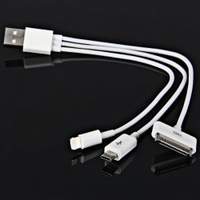
ichargerI have been through every version of the iPhone and am now on an iPhone 6.  I had a 2nd Generation iPad and upgraded to an iPad Air 2 with both cellular and wifi options for connection, as well as purchasing an iPad Mini for my husband.

The change from the old style charging cable to the lightning cables/port was great, for a while, but now, despite using Apple branded/supplied cables, blocks and docking stations, my Apple products display these messages intermittently:

  • Not Charging
  • This cable or accessory is not certified and may not work reliably with this iPhone/iPad (whichever happens to be plugged in)

To say I am frustrated is an understatement!  I love my Apple products (although I am a loyal PC girl) but I am at my wits end – I’ve even gone so far as to buy a Samsung Android based phone on another carrier just so I know I always have a hot backup.  Even I see that as an absurd waste of money.  I NEVER had this problem on the older versions of my iPhone and iPad but since I’ve upgraded I’ve had nothing but issues!

I’ve scoured the internet and read articles, forums, blog posts and watched videos all describing the same issue I’m having, but none of the suggested fixes have stopped the problems I am having!

All of the articles came to the same three conclusions:

  1. The wall adaptor (i.e. Block) is bad
  2. The Lightning or 30-pin USB cable is bad
  3. The charging port on the iPhone/iPad/iPod is bad
  4. The internal battery is bad
  5. The software has crashed and needs a refresh

Suggested Fixes:

  • Move to another wall plug – you could be using a bad outlet
  • Change the USB charging cable (The cables are prone to fraying at both ends and are covered under the Apple warranty.  It may be able to be swapped for free if you have a recently purchased Apple product)  If you are using a third party cable, make sure it’s a certified Apple compatible product (the cheap ones usually aren’t and fail a lot).  Amazon Basics are reliable and less expensive third party options, plus they have longer options than the standard supplied USB cables.  If you an charge via your computer, but not via the wall charger, or vice versa, your cable is not the problem.
  • Use a different charging block
  • Do a “Hard Reset” by pressing the power and home key simultaneously until the Apple logo appears then let go and let the reset finish

None of these suggested problems or fixes for them resolved my problem.

Today, after another day of struggling to keep my phone charged, I came across an article on c|net that suggested the problem could be microscopic debris in the USB port on the computer, the charging block, the USB Port on the computer/charging block/phone charger/portable charger, Or even the USB end of the charging cord.  Finally something new (that made sense) and that I hadn’t tried!

Hmmm

Think about the places that iGadgets get left: pockets, purses, briefcases, backpacks, desks, counters, floors, center consoles, car seats, virtually everywhere that dust, lint, dirt, and gunk gather.  That poor little charging port doesn’t have a chance!

A trick suggested by an Apple Guru is to take a small anti-static brush or brand new toothbrush and gently brush out your iPhone’s charging port.  Toothbrushes work well because the bristles don’t conduct electricity.  Make sure to brush out the USB ports on your computer, charging blocks, car chargers and the other ends of your charging cords then plug everything back in.

Hopefully you see the little lightning bolt in the right top corner of your device and your problem is solved.  If you don’t you may need to see if you’ve somehow damaged your charging port by getting it wet…I hope not because that could require either an expensive fix or complete replacement of your device.

If you are on Facebook and are interested in the things I may not devote an entire blog post to, but that make me wonder, funny quips, photos and other silly things, I have a page followed by more than 1,900 people who find me mildly amusing:  https://www.facebook.com/extremeblondemoments

Beware iPhone/iPad Wifi Assist

wifiassistToday is very short.

Users of Apple iPhones and iPads have begun complaining that an update to their operating system has resulted in unexpected data overages.  They are not imagining things.

Apple seems to have found a sneaky way to make it seem like they never lose data connection by boosting the crappy wifi adaptors in their products via installation and automatic activation of a feature called, “wifi assist” in the most recent ios9 update!  What this does is turn on your cellular data plan (the one you pay for – remember: wifi usage is free) to boost poor quality wifi signals.

While it seems like a good idea, consider the following:

  • Using Wifi on your apple devices is free – if your cellular data kicks in, it draws down your monthly contract allotment and you will run out, causing you to be charged for excess data usage at a higher rate per mb
  • Unlike the Facebook charge hoax that circulated yesterday, this story of a “hidden” potentially costly feature in ios9, is indeed true as reported on:  CBS News , Gizmodo, Mac World, zdnet, refinery29 and many other tech websites yesterday.  Click on any of the links above and you’ll be able to see the information.

I have unlimited data on my iPhone, thank God for the Grandfather clause in my plan, but not on my iPad.  Lo and Behold I checked, in the very strangely placed location for the on-off button, and found that the feature was automatically enabled on my iPad.

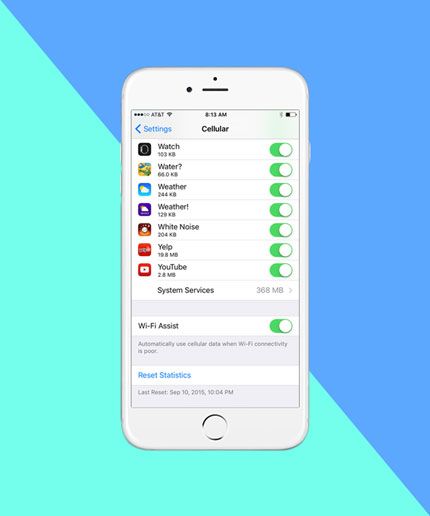
For those who don’t want to pay for a bunch of sneaky minute charges, here is how to turn off wifi assist:  The off switch is somewhat buried, located in Settings>Cellular near the very bottom of the screen, under the cellular settings for all of the apps installed on the phone. Click the button on the screen to off and you are good to go.

As soon as my husband gets home, I am making sure his settings are changed too!  Hmmm indeed!

If you are on Facebook and are interested in the things I may not devote an entire blog post to, but that make me wonder, funny quips, photos and other silly things, I have a page followed by more than 1,900 people who find me mildly amusing:  https://www.facebook.com/extremeblondemoments

Does He Not Realize He’s Turning You Off?

breaking-up-ex-girlfriendIn case you didn’t catch the recent article in Men’s Fitness Magazine, there are some very specific things that can turn a date with great possibilities into a chaste kiss at the door and an abrupt, “I’ll call you,” in no time flat. Hmmm

According to more than 500 real women polled, and a few other resources I found, these are the least attractive traits women find in the men they date:

  • Cocky: Acting Entitled and better than others
  • Bad Breath!
  • Being a Douche: Trying to upstage anyone and everyone
  • Conceited: Me, Me, Me behavior, conversation and interests
  • Chauvinistic: Puts women down to make him feel better about himself, or feels one woman isn’t enough
  • Dishonest
  • Lack of Communication: Always making plans at the last minute
  • Complaining about anything and everything.  Nothing is ever good enough for this blowhard who makes no effort to change what he’s complaining about or ask that it be made right
  • Lazy: Only makes the minimum effort to get by, no drive, no passion, no goals; leaves making of all plans up to you
  • Lack of Confidence or Insecurity: “Woe is Me” and “I’m not good enough” are definite turn offs as are controlling and jealous behavior intended to divert your attention from anyone else
  • Braggart: I obviously thought you were pretty great when I agreed to date you, I don’t need or want to hear how great you are FROM YOU
  • Aggressive Physical Behavior: Acting like you own me is a total turn off.  I don’t need to be pawed at in public just so you can prove your manliness to other men or show “She’s with me!”
  • Obsessed with Money
  • Irresponsible with his money (always crying poor) or Cheap
  • Poor Personal Hygiene
  • Undependable/Careless: Blows off dates, doesn’t return calls, depends on texts as main form of communication
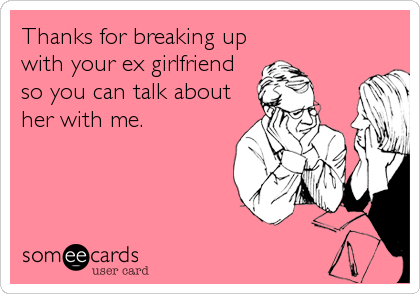
  • Acting like you are his Therapist: Enough with the talk about your ex!
  • Rude:  Burping and Farting in Public as if he’s with the guys, Dismissive, Quick to Anger, Uses Racial/Sexual/Inappropriate Language, etc.
  • Sloppy in Appearance, His Home or Car 

badbreathNot only are the majority of these traits deal breakers, I think the existence of even a few  should set off red lights and warning bells. If these are the kind of men you are consistently attracted to or attracting, you might want to take a step back and examine what is drawing you toward these uncouth, unacceptable men.  Hmmm

If you are on Facebook and are interested in the things I may not devote an entire blog post to, but that make me wonder, funny quips, photos and other silly things, I have a page followed by more than 1,900 people who find me mildly amusing:  https://www.facebook.com/extremeblondemoments

The Peril of Being the “Tech Gal” For Your Own Blog Site

girl-and-computer-victoryI am the first to admit that I am not a technical guru when it comes to writing code, website language and other computer programming / data processing jargon. Frankly I think a 5 year old has more computer literacy than I do where it comes to creating and maintaining a website, but I knew enough to keep the site for my blog up for the past year.

Perhaps I got a little complacent and far too comfortable with how easy my previous domain name registrar / WordPress host made it to communicate to the world via my tongue-in-cheek blog that: I am a girl of many opinions with a salty vocabulary, the gift of gab, and just enough knowledge of navigating the “World Wide Web” to make me dangerous.

That being said, I made the mistake of using a hosted site via a webhost who I will not give the benefit of a mention or further free advertising on the back of my blog, and my site disappeared.  Let’s just say it’s not your Mommy’s company…hmmm

Two weeks of fighting via phone, email and chat box (after being made to wait online 79 minutes to talk with a technical support “expert” and their so called, “Customer Service” has only resulted in them requesting:

  • Site Retrieval Fee (AKA Ransom for my site, which is being held Hostage)
  • Technical Support Fee (For all of their “pleasant” requests for more of my money)
  • Another Month of Pre-Paid Hosting on their “service” from which I could then access a backup to move my site to the new host, whom I am already paying….their crappy “service” is exactly what I was trying to get away from!

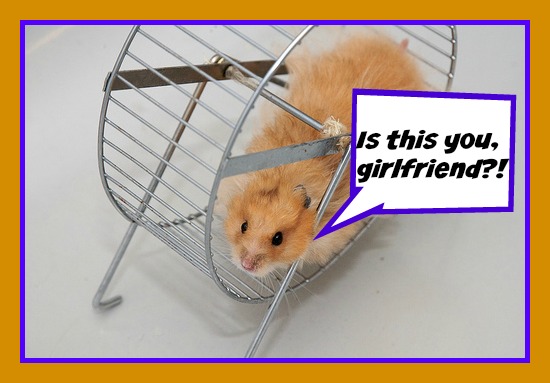
hamster-wheelI am sure all can see the hamster wheel that they have kept me on, which has only done one thing:  Delayed my site from re-launching on the new host and thus has caused a break in entertaining and engaging my followers with my daily rants and raves…UGH!

Getting my blog back live has taken weeks and practically an Act of God, but have no fear: I am getting a crash course in backing up my site locally from now on, painstakingly recreating that which I have toiled over for the past year and, come Hell or High Water (which we did get some of this week in otherwise sunny southern California, but I digress), I will now be back live as soon as possible….If you’re reading this, my Herculean task has been accomplished.

These are the current things that are definitely making me go hmmm….

As a reminder, if you are on Facebook and are interested in the things I may not devote an entire blog post to, but that make me wonder, funny quips, photos and other silly things, I have a page followed by more than 1,900 people who find me mildly amusing:  https://www.facebook.com/extremeblondemoments